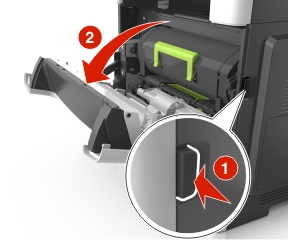
打開前門以鬆脫後門中的夾紙。
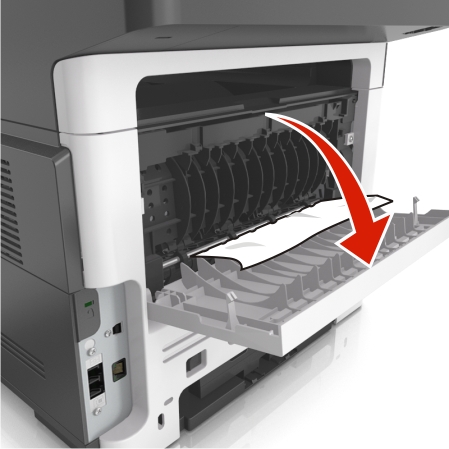
將後門輕輕往下拉。
 | 請當心-表面會發熱: 印表機內部的溫度可能很高。為避免被發熱表面或元件燙傷的危險,請先讓該表面或元件冷卻之後再觸摸。 |
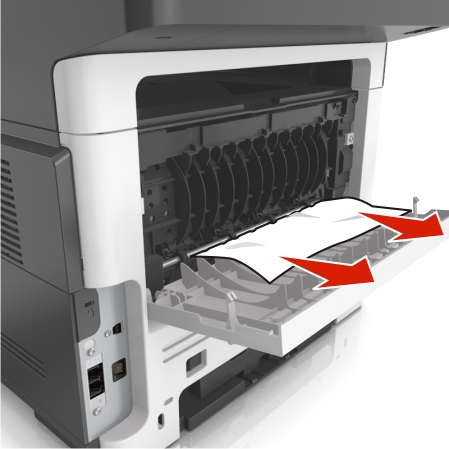
穩妥地抓住夾紙的兩邊,然後輕輕將它拉出。
| 請注意: 確認已取出所有的紙張碎片。 |
關上後門,然後再關上前門。
從印表機控制面板,觸控  來清除訊息,並繼續列印。若是非觸控式螢幕印表機型號,請選取 Next(下一步) >
 >Clear the jam, press OK(清除夾紙,按下確定) >。
打開前門以鬆脫後門中的夾紙。
將後門輕輕往下拉。
| | 請當心-表面會發熱: 印表機內部的溫度可能很高。為避免被發熱表面或元件燙傷的危險,請先讓該表面或元件冷卻之後再觸摸。 |
穩妥地抓住夾紙的兩邊,然後輕輕將它拉出。
| 請注意: 確認已取出所有的紙張碎片。 |
關上後門,然後再關上前門。
從印表機控制面板,觸控 來清除訊息,並繼續列印。若是非觸控式螢幕印表機型號,請選取 Next(下一步) > >Clear the jam, press OK(清除夾紙,按下確定) >。