将文档原件放入 ADF 进纸匣中,或放在扫描仪玻璃上。
插入闪存驱动器。
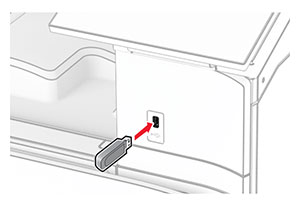
从控制面板,选择 扫描 ,然后选择 USB 驱动器 。
选择用于保存文件的位置,创建文件名,然后选择 下一步 。
配置扫描设置。
扫描文档。
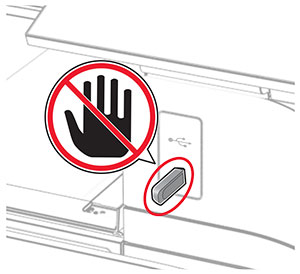
警告—可能的损坏:
为避免数据丢失或发生打印机故障,当正在从内存设备打印、读取或写入时,不要触摸所示区域内的闪存驱动器或打印机。
将文档原件放入 ADF 进纸匣中,或放在扫描仪玻璃上。
插入闪存驱动器。
从控制面板,选择 扫描 ,然后选择 USB 驱动器 。
选择用于保存文件的位置,创建文件名,然后选择 下一步 。
配置扫描设置。
扫描文档。