Remove all original documents from the ADF tray.
Open door D.

Remove the jammed paper.
| Note: Make sure that all paper fragments are removed. |
| Warning—Potential Damage: Some parts of the printer are easily damaged by static electricity. Before touching any parts or components in an area marked with the static-sensitive symbol, touch a metal surface in an area away from the symbol. |
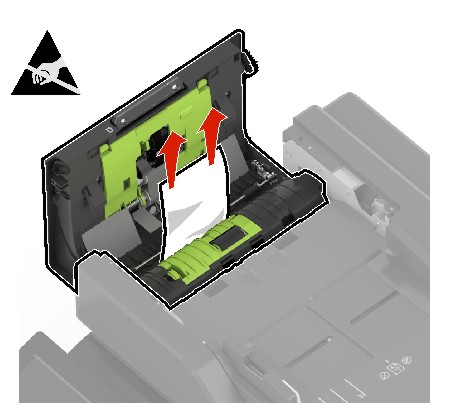
Close door D.
Open the scanner cover.

Open door E.

Remove the jammed paper.
| Note: Make sure that all paper fragments are removed. |
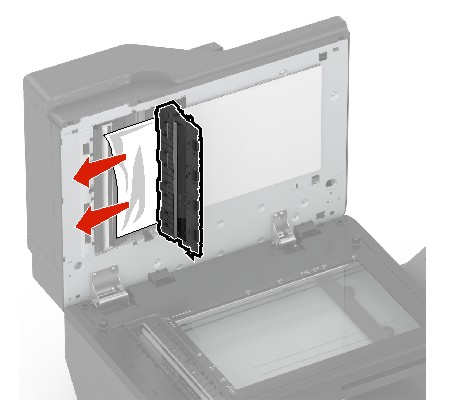
Close door E and the scanner cover.