Open the multipurpose feeder.
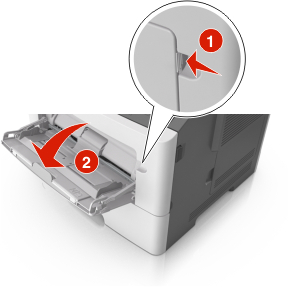
Pull the multipurpose feeder extender.
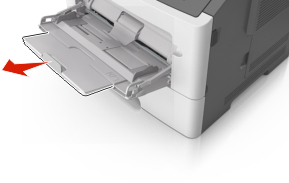
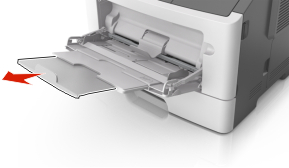
Pull the extender gently so that the multipurpose feeder is fully extended and open.
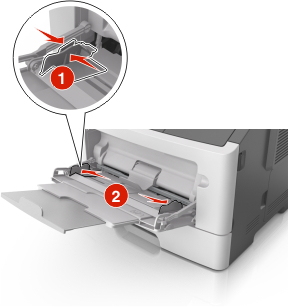
Squeeze the tab on the left width guide, and then move the guides for the paper you are loading.
Prepare the paper or specialty media for loading.
Flex sheets of paper back and forth to loosen them, and then fan them. Do not fold or crease the paper. Straighten the edges on a level surface.
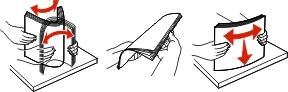
Hold transparencies by the edges. Flex the stack of transparencies back and forth to loosen them, and then fan them. Straighten the edges on a level surface.
Note: Avoid touching the printable side of the transparencies. Be careful not to scratch them.
Flex the stack of envelopes back and forth to loosen them, and then fan them. Straighten the edges on a level surface.
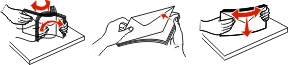
Load the paper or specialty media.
Notes:
- Do not force paper into the multipurpose feeder. Overfilling may cause paper jams.
- Make sure the paper or specialty media is below the maximum paper fill indicator located on the paper guides.
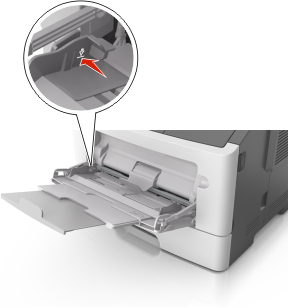
Load paper, transparencies, and card stock with the recommended printable side faceup and the top edge entering the printer first. For more information on loading transparencies, see the packaging the transparencies came in.
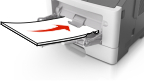
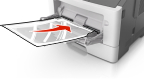 Note: When loading A6-size paper, make sure the multipurpose feeder extender rests lightly against the edge of the paper so that the last few sheets of paper remain in place.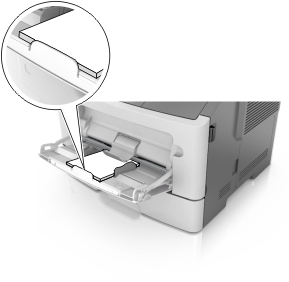
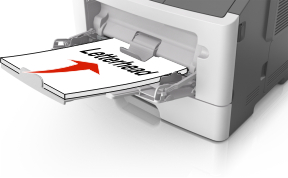
Load letterhead faceup with the top edge entering the printer first. For two-sided (duplex) printing, load letterhead facedown with the bottom edge of the sheet entering the printer first.
Load envelopes with the flap on the left side facedown.
Warning—Potential Damage: Never use envelopes with stamps, clasps, snaps, windows, coated linings, or self-stick adhesives. These envelopes may severely damage the printer.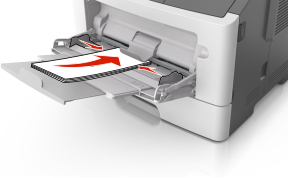
From the Embedded Web Server or from your computer, set the paper size and paper type in the Paper menu to match the paper loaded in the multipurpose feeder.