
| | CAUTION—HOT SURFACE: The inside of the printer might be hot. To reduce the risk of injury from a hot component, allow the surface to cool before touching it. |
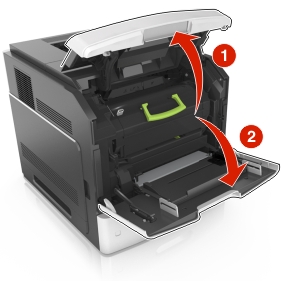
Open the front cover and the multipurpose feeder.
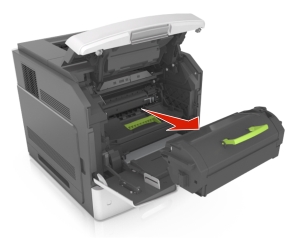
Remove the toner cartridge.
Remove the imaging unit.
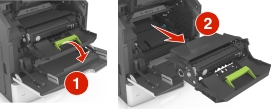
| Warning—Potential Damage: Do not expose the imaging unit to direct light for more than 10 minutes. Extended exposure to light may cause print quality problems. |
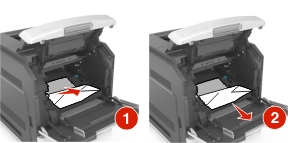
Remove the jammed paper.
| Note: Make sure that all paper fragments are removed. |
Insert the imaging unit.
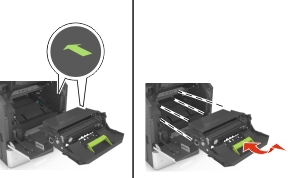
| Note: Use the arrows on the side of the printer as a guide. |
Insert the toner cartridge.
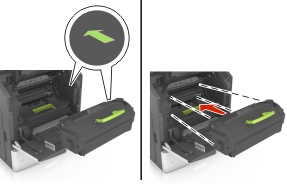
Close the multipurpose feeder door and the front cover.
If necessary, press  on the control panel.