清除卡纸

避免卡纸

正确加载纸张
使用推荐的纸张

识别卡纸位置

注意:

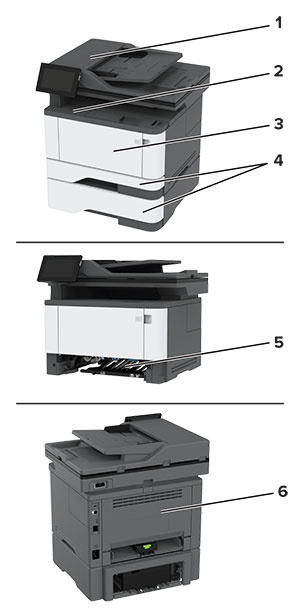
Paper jam areas in the printer with numbered callouts.
 

卡纸位置

1

自动文档传送器

2

标准接纸架

3

多功能进纸器

4

进纸匣

5

双面打印部件

6

后部盖门


纸张卡在自动文档传送器中

  1. 从 ADF 进纸匣中取出所有原始文档。

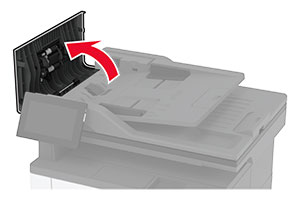
  2. 打开盖门 C。

    向上拉盖门 C。
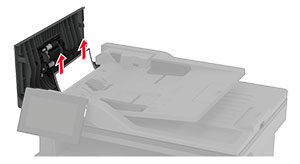
  3. 取出被卡的纸张。

    注意:  确保取出所有纸张碎片。
    拉出 ADF 内部卡住的纸张。
  4. 关闭盖门 C。

纸张卡在标准接纸架中

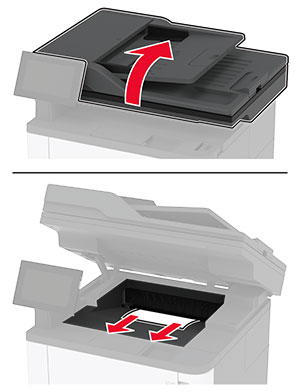
  1. 抬起扫描仪,然后取出被卡的纸张。

    注意:  确保取出所有纸张碎片。
    The scanner is lifted, and then the jammed paper is pulled out of the printer.
  2. 放下扫描仪。

纸张卡在多功能进纸器中

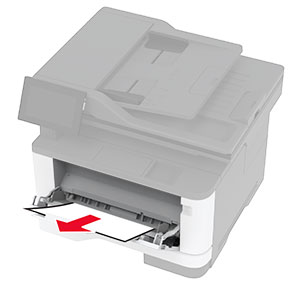
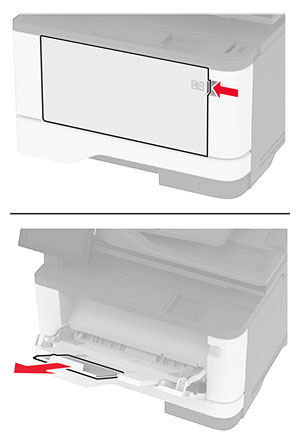
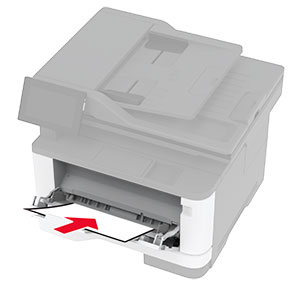
  1. 从多功能进纸器中取出纸张。

    Paper stack is pulled out of the multipurpose feeder.
  2. 取出被卡的纸张。

    注意:  确保取出所有纸张碎片。
  3. 关闭多功能进纸器。

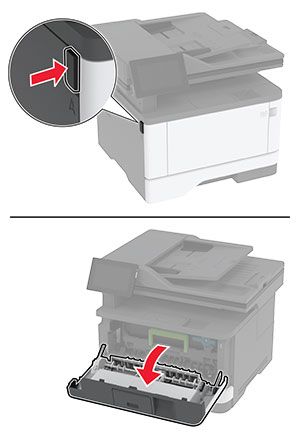
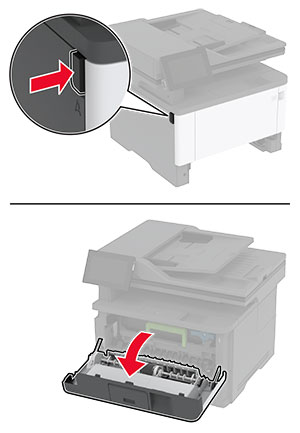
  4. 打开前部盖门。

    警告—可能的损坏:  为防止静电放电造成的损坏,请在进入或接触打印机的内部区域之前触摸打印机的任何外露金属框架。
    The button on the left side of the printer is pushed, and then the door is opened.
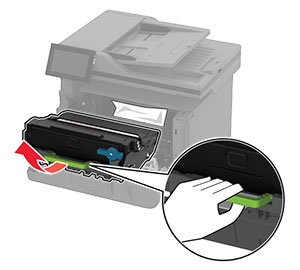
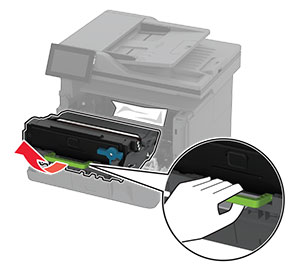
  5. 移除成像单元。

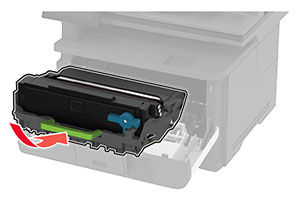
    The imaging unit is pulled out of the printer to access the jammed paper.
    警告—可能的损坏:  不要让成像单元暴露在直射光线下超过 10 分钟。长时间暴露在光线下可能导致打印质量问题。
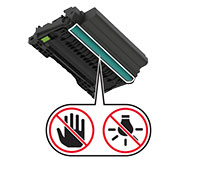
    警告—可能的损坏:  请勿触摸光导鼓。否则会影响以后的打印作业质量。
    Photoconductor drum at the bottom of the imaging unit with a do not touch icon.
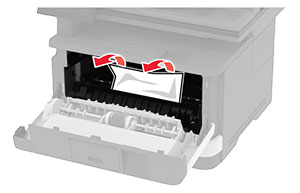
  6. 取出被卡的纸张。

    发热表面小心图标   小心—发热表面:  打印机内部可能很烫。为避免被发热组件烫伤的危险,在接触组件之前,请等待表面冷却。
    注意:  确保取出所有纸张碎片。
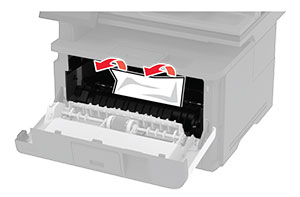
    A jammed paper is removed from the front door area.
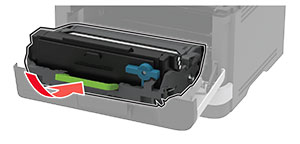
  7. 插入成像单元。

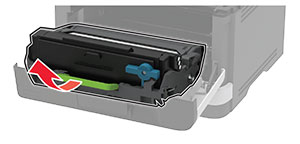
    The imaging unit is inserted into the printer.
  8. 关闭盖门。

  9. 打开多功能进纸器。

    The multipurpose feeder is pulled down, and then the extender is pulled up.
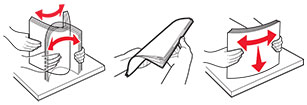
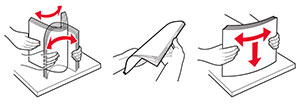
  10. 请在加载之前,弯曲、扇形展开并对齐纸张边缘。

    Paper stack is flexed, fanned, and aligned.
  11. 重新加载纸张。

    Paper stack is loaded into the multipurpose feeder.

纸张卡在标准进纸匣中

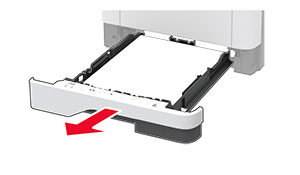
  1. 移除进纸匣。

    The tray is pulled out of the printer.
  2. 打开前部盖门。

    警告—可能的损坏:  为防止静电放电造成的损坏,请在进入或接触打印机的内部区域之前触摸打印机的任何外露金属框架。
    The button on the left side of the printer is pushed, and then the front door is opened.
  3. 移除成像单元。

    The imaging unit is pulled out of the printer to access the jammed paper.
    警告—可能的损坏:  不要让成像单元暴露在直射光线下超过 10 分钟。长时间暴露在光线下可能导致打印质量问题。
    警告—可能的损坏:  请勿触摸光导鼓。否则会影响以后的打印作业质量。
    Photoconductor drum at the bottom of the imaging unit with a do not touch icon.
  4. 取出被卡的纸张。

    发热表面小心图标   小心—发热表面:  打印机内部可能很烫。为避免被发热组件烫伤的危险,在接触组件之前,请等待表面冷却。
    注意:  确保取出所有纸张碎片。
    A jammed paper is removed from the front door area.
  5. 插入成像单元。

    The imaging unit is inserted into the printer.
  6. 关闭前部盖门,然后插入进纸匣。

  7. 打开后部盖门。

    发热表面小心图标   小心—发热表面:  打印机内部可能很烫。为避免被发热组件烫伤的危险,在接触组件之前,请等待表面冷却。
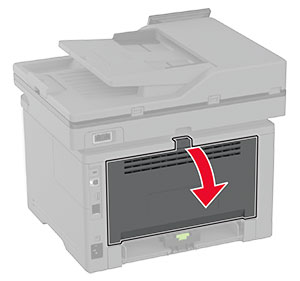
    The rear door of the printer is opened.
  8. 取出被卡的纸张。

    注意:  确保取出所有纸张碎片。
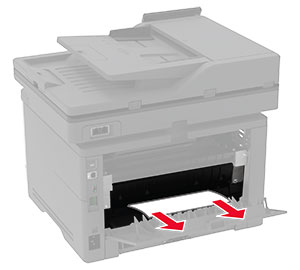
    A jammed paper is pulled out of the fuser area.
  9. 关闭后部盖门。

纸张卡在进纸匣选件中

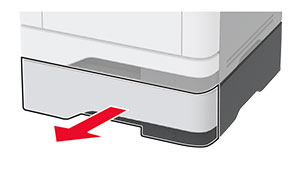
  1. 移除进纸匣选件。

    The optional tray is pulled out of the printer.
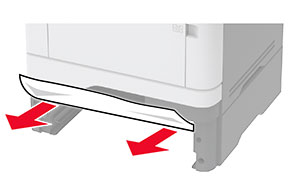
  2. 取出被卡的纸张。

    注意:  确保取出所有纸张碎片。
    A jammed paper is pulled out of the optional tray.
  3. 插入进纸匣。

纸张卡在双面打印部件中

  1. 打开前部盖门。

    警告—可能的损坏:  为防止静电放电造成的损坏,请在进入或接触打印机的内部区域之前触摸打印机的任何外露金属框架。
    The button on the left side of the printer is pushed, and then the front door is opened.
  2. 移除成像单元。

    The imaging unit is pulled out of the printer to access the jammed paper.
    警告—可能的损坏:  不要让成像单元暴露在直射光线下超过 10 分钟。长时间暴露在光线下可能导致打印质量问题。
    警告—可能的损坏:  请勿触摸光导鼓。否则会影响以后的打印作业质量。
    Photoconductor drum at the bottom of the imaging unit with a do not touch icon.
  3. 取出被卡的纸张。

    发热表面小心图标   小心—发热表面:  打印机内部可能很烫。为避免被发热组件烫伤的危险,在接触组件之前,请等待表面冷却。
    注意:  确保取出所有纸张碎片。
    A jammed paper is removed from the front door area.
  4. 插入成像单元。

    The imaging unit is inserted into the printer.
  5. 关闭盖门。

  6. 移除进纸匣。

    The tray is pulled out of the printer.
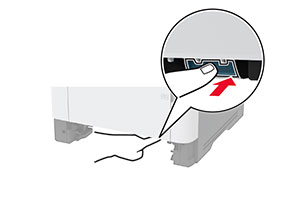
  7. 推动双面打印部件插销以打开双面打印部件。

    The blue latch under the printer is pushed.
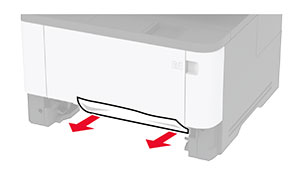
  8. 取出被卡的纸张。

    注意:  确保取出所有纸张碎片。
    A jammed paper in the duplex area is pulled out of the printer.
  9. 关闭双面打印部件。

  10. 插入进纸匣。

纸张卡在后部盖门内

  1. 打开前部盖门。

    警告—可能的损坏:  为防止静电放电造成的损坏,请在进入或接触打印机的内部区域之前触摸打印机的任何外露金属框架。
    The button on the left side of the printer is pushed, and then the front door is opened.
  2. 移除成像单元。

    The imaging unit is pulled out of the printer.
    警告—可能的损坏:  不要让成像单元暴露在直射光线下超过 10 分钟。长时间暴露在光线下可能导致打印质量问题。
    警告—可能的损坏:  请勿触摸光导鼓。否则会影响以后的打印作业质量。
    The bottom side of the imaging unit containing the photoconductor drum.
  3. 打开后部盖门。

    发热表面小心图标   小心—发热表面:  打印机内部可能很烫。为避免被发热组件烫伤的危险,在接触组件之前,请等待表面冷却。
    The rear door of the printer is being opened.
  4. 取出被卡的纸张。

    注意:  确保取出所有纸张碎片。
    Jammed paper is pulled out of the fuser area.
  5. 关闭后部盖门。

  6. 插入成像单元。

    The imaging unit is inserted into the printer.
  7. 关闭前部盖门。