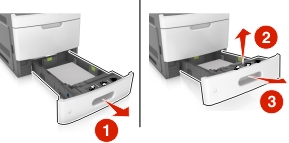
Pull out the tray.
| Note: Lift the tray slightly, and then pull it out completely. |
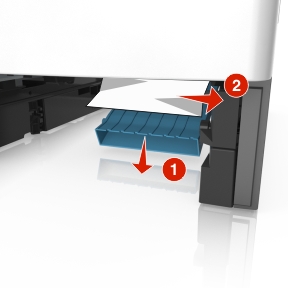
Push down the front duplex flap, then firmly grasp the jammed paper, and then gently pull the paper to the right and out of the printer.
| Note: Make sure all paper fragments are removed. |
Insert the tray.
From the scanner control panel, touch Done to clear the message and continue printing.