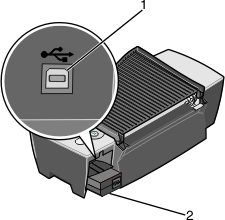
Opening the box
 Understanding the printer parts
To set up your printer, follow the steps on the Lexmark 810 Series setup documentation for installing the hardware. If problems occur, see Setup troubleshooting.
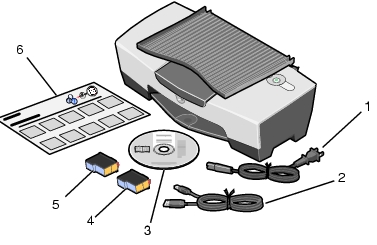
These items are in the box with your printer:
Note: A USB cable may or may not be included.
|
1 |
Power supply cord |
4 |
Color print cartridge |
|
2 |
USB cable |
5 |
Black or photo print cartridge |
|
3 |
Software CD |
6 |
Setup sheet |
|
|
Use this |
To |
|---|---|---|
|
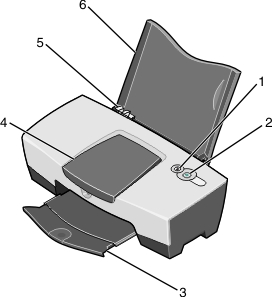
1 |
Paper feed button |
|
|
2 |
Power button |
|
|
3 |
Paper exit tray |
Stack paper after printing. |
|
4 |
Access cover |
|
|
5 |
Paper guide and release tab |
Make sure paper feeds correctly into the printer. |
|
6 |
Paper support |
Keep paper straight in the sheet feeder. |