Creating an action
An action is either an email notification or an event viewer log. Actions assigned to events are triggered when a printer alert occurs.
-
From the Printers menu, click .
-
Type a unique name for the action and its description.
-
Select an action type.
Email
Note: Before you begin, make sure that the email settings are configured. For more information, see Configuring e‑mail settings.-
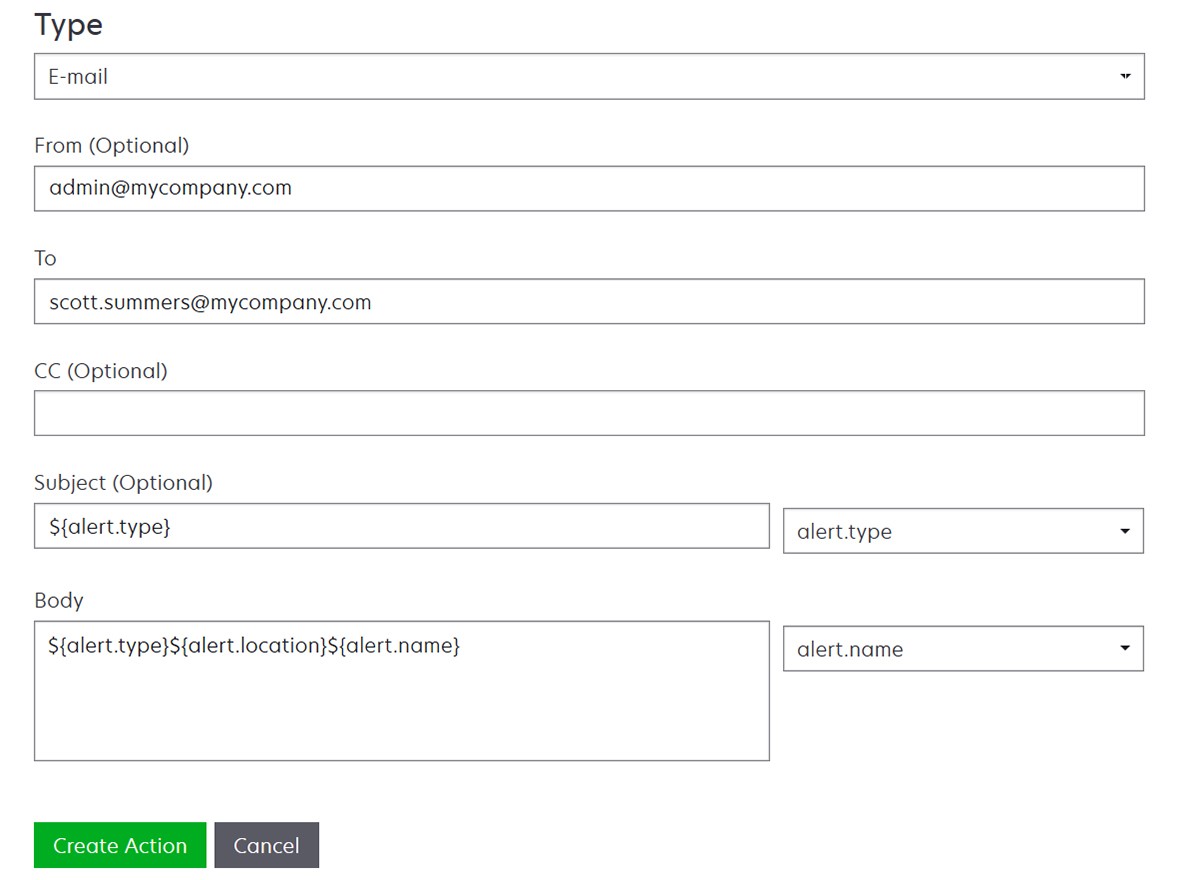
In the Type menu, select E‑mail.
-
Type the appropriate values in the fields. You can also use the available placeholders as the entire or part of the subject title, or as part of an email message. For more information, see Understanding action placeholders.
-
Click Create Action.
Log event-
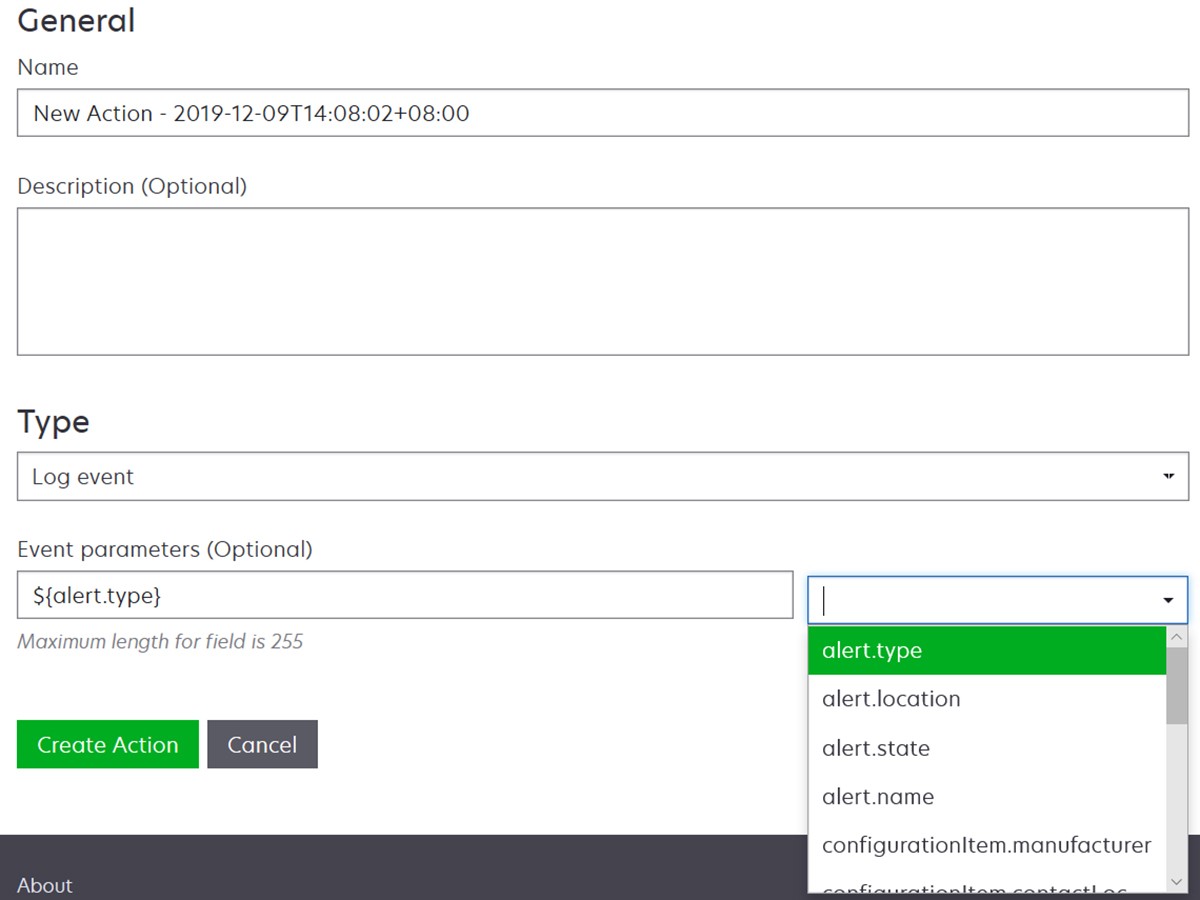
In the Type menu, select Log event.
-
Type the event parameters. You can also use the available placeholders in the drop‑down menu. For more information, see Understanding action placeholders
-
Click Create Action.
-